MLM Software Migration: 5 Migration Issues We Repeatedly See When Companies Move from Existing MLM Platforms
- Quick answer
should you migrate your MLM software?
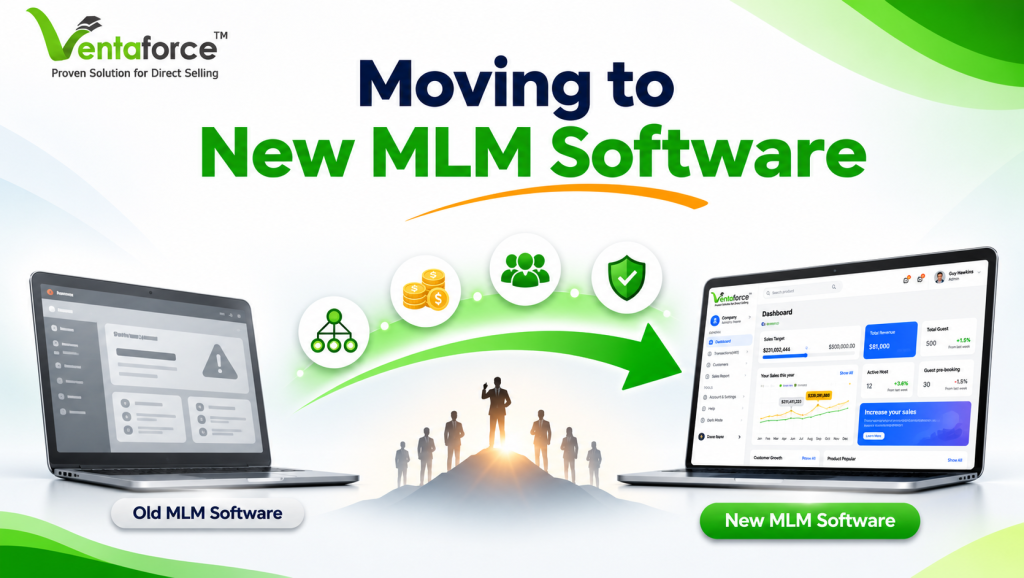
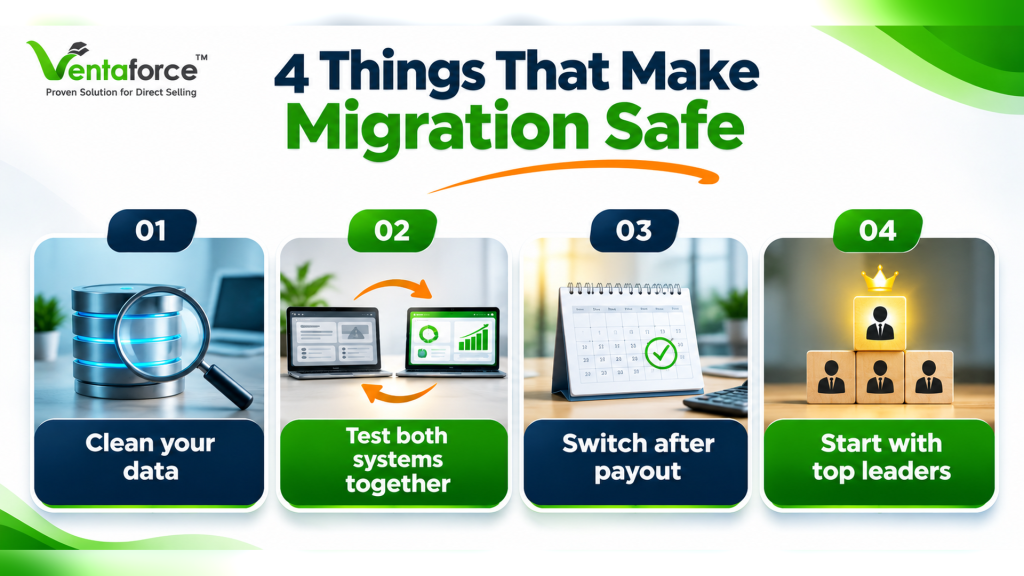
- Migrate when the ongoing cost of staying on your current platform is higher than the one-time cost and risk of moving. The cost of staying shows up as slow commission runs, expensive customization, plan changes that take weeks, and markets you cannot enter. The risk of moving is real, but it is manageable. In the migrations I have seen go well, the company did four things:
1. Cleaned and audited its data before moving anything.
2. Ran commissions on the old and new systems side by side.
3. Switched over right after a commission period closed.
4. Brought top leaders in before the rest of the field.
The rest of this guide explains why those four habits matter, the five problems that hurt migrations most, and how to tell whether you are ready.
What is MLM software migration?
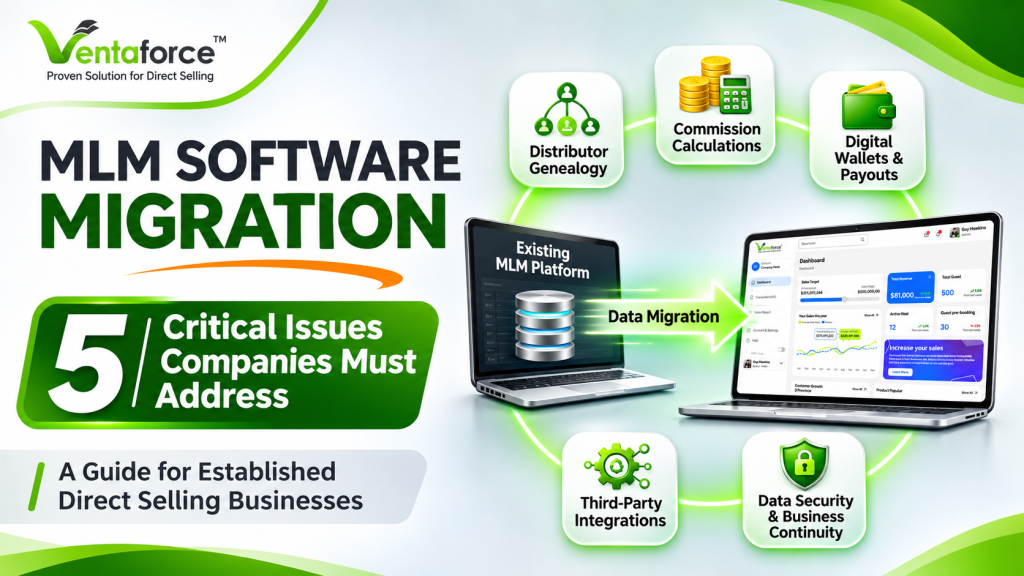
MLM software migration is the process of moving your members, genealogy, orders, commissions, wallets, rank history and integrations from your current MLM platform to a new one, while keeping payouts accurate and the business running.
People often call it “moving the database.” That is the easy part. A real migration carries over:
- Members and genealogy: the sponsor and placement links that define who is paid on whom
- Financial records: commission history, wallet balances and payout records
- Ranks and qualifications: current ranks, PV/BV and carry-forward values
- Orders and products: purchase history and catalog data
- Compliance data: KYC documents, bank details and tax records
- Integrations: payment gateways, eCommerce, ERP, CRM and messaging tools
- Replicated sites and referral links: the links your distributors have shared for years
The harder part is the logic. Your old system contains rules, some documented and many not, that decide what each person earns. A migration has to carry those rules across and prove they still work.
Migration, upgrade or takeover: what is the difference?
These terms get mixed up, so here is how they usually differ:
Term | What it means | Typical risk |
Upgrade | Moving your current platform to a newer version | Lower |
Migration | Moving your data and rules to a different platform | Higher |
Takeover | A new vendor takes over a live system built by someone else, often including its code | Higher, and depends on access to code and data |
Most projects mix these. You may modernize what can be kept and migrate what cannot.
Why migration is a leadership decision, not an IT project
Your MLM platform is not ordinary back-office software. It calculates what distributors earn, stores the genealogy, and holds your compliance records. When a migration fails, it does not look like a technical error. It looks like a late payout, an angry top leader on the phone, or a rumor in the field that the company is in trouble.
Those are business problems, so they need a business owner. The migrations that go well have a senior person accountable for the result, a budget that includes contingency, and a shared definition of what “ready to go live” means. The technology matters, but it is rarely what decides the outcome.
8 signs it is time to switch MLM software
One of these alone is an annoyance. If you recognize three or more, run a formal assessment.
- Commission runs are slow or fail as your member base grows
- Every plan change or promotion takes weeks of vendor work
- Customization and support costs keep climbing with no real roadmap
- Distributors complain about the mobile app or back office
- Integrations with payments, eCommerce, ERP or CRM are fragile
- You cannot expand into new countries, currencies or languages
- You do not fully control your own data and reporting
- Your vendor is slow to respond, or the product has stopped improving
The last one is underestimated. A platform that stops evolving becomes more expensive to keep every year.
Cost of staying vs. cost of moving
| Cost of staying | Cost of moving |
Operations | Manual commission fixes, long processing windows | One-time effort, plus parallel testing |
Growth | New plans, markets and promotions get delayed | Faster configuration once live |
Support | Steady ticket volume from a weak back office | A temporary spike for about 30 days after launch |
Risk | Reliance on an aging platform or vendor | Short-term migration risk, managed with controls |
Distributors | Frustration and quiet attrition | Training and change management |
The right-hand column has an end date. The left-hand column does not. Most leaders underestimate staying costs because they are spread across months and years.
The 5 MLM migration problems I see most often
1. Genealogy and historical data that is not clean
Genealogy is the backbone of the business. Who sponsored whom, and where each person sits, decides who earns on whose volume.
Old systems collect mess: duplicate accounts, members with no valid sponsor, balances that do not add up, test accounts nobody deleted. None of it matters until you try to move it. If one distributor lands under the wrong sponsor, it is not a single error. It can change the earnings of an entire branch.
What to do:
- Audit the data before migrating anything.
- Take a clean snapshot at a fixed cut-off date.
- Reconcile member counts, PV/BV, ranks and balances against that snapshot.
- Make sure your own team signs off, not only the vendor.
2. Commission logic that does not match your plan
Almost every platform says it supports binary, matrix, unilevel and hybrid plans. That is true, and it misses the point. Your plan is probably not a textbook plan. Over the years you added caps, special carry-forward conditions, rank exceptions and promotional overrides. Some were never written down. They live in old code, or in the memory of one person in finance.
When those rules are missed, payouts come out slightly different from what people expect. Even a small gap is enough for your best leaders to lose confidence in the new system.
What to do:
- Write a plan specification sheet that captures every rule, including unwritten ones.
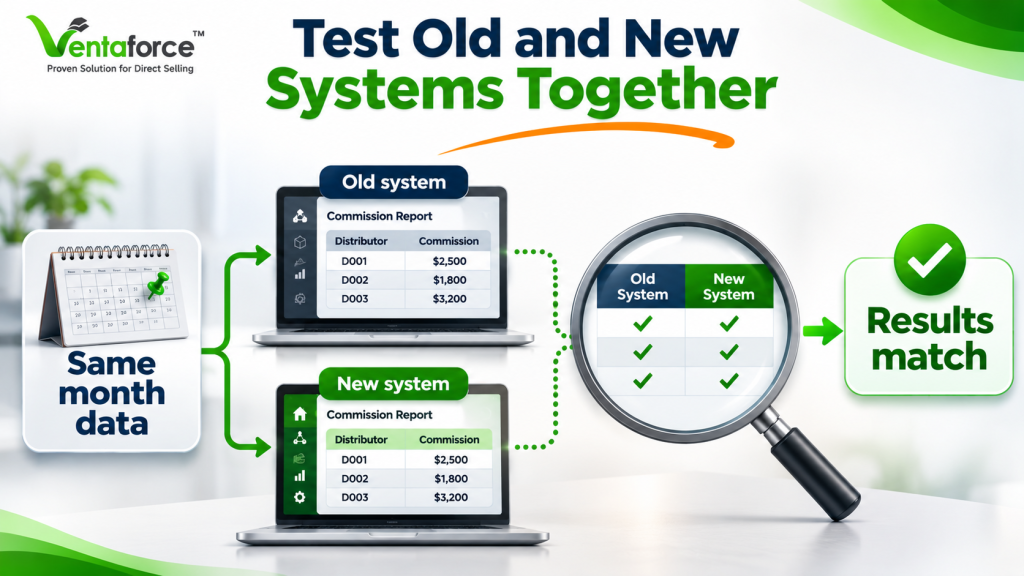
- Run a parallel commission cycle: calculate the same period in both systems and compare line by line.
- Explain every difference before go-live.
I consider the parallel run the most reliable test available. If a vendor wants to skip it, be careful.
3. Payout, wallet and compliance gaps
Nothing damages trust faster than a late or wrong payment. A software glitch can be forgiven. Missing someone’s money usually is not.
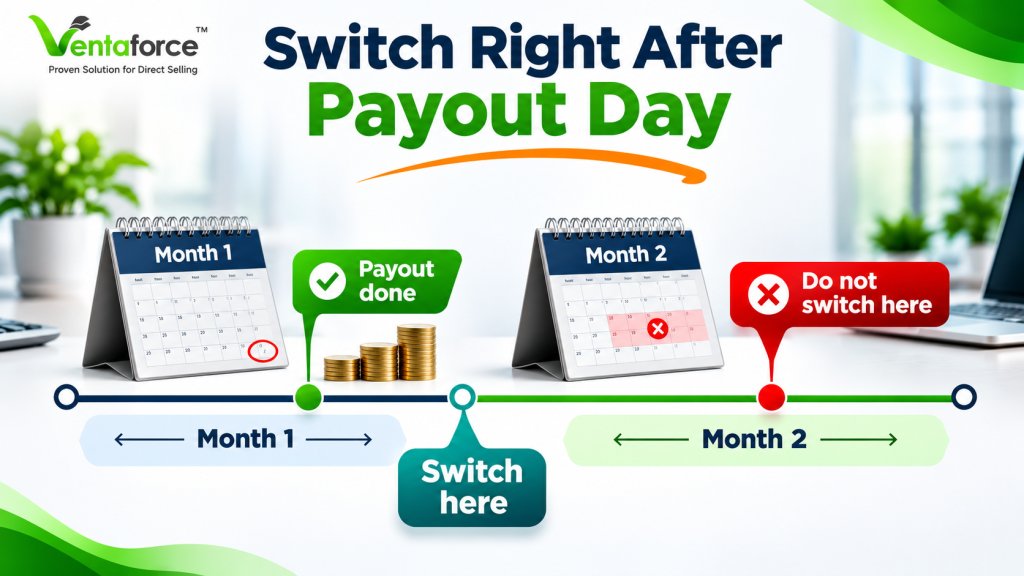
The risk is highest when cutover happens in the middle of a commission period, because a single payout can end up split across two systems. Wallets are the other danger zone: balances must match exactly, and finance, not the technical team, should confirm that. Compliance matters too. KYC documents, bank details and tax records must move securely, and requirements differ by country.
What to do:
- Cut over right after a closed commission period.
- Have finance approve the wallet reconciliation.
- Transfer sensitive data through secure channels.
- Confirm country-specific requirements with your legal and finance advisors.
4. Broken integrations, replicated sites and lost search traffic
This one catches people off guard because it is not about the core system.
Distributors have shared replicated website links and referral codes everywhere: social posts, business cards, email signatures, old WhatsApp messages. If those links stop working at launch, you lose sign-ups you never see. Old URLs without redirects can also cost search visibility that took years to build. Integrations behave the same way. A payment gateway that acts slightly differently in the new system can cause failed orders nobody notices for days.
What to do:
- List every integration before you start.
- Test each one in a staging environment.
- Set up 301 redirects for old URLs.
- Make a deliberate plan to keep referral codes and replicated site links working.
5. Distributors who do not adopt the new system
You can do everything right technically and still have a bad migration if the field does not trust the new system. Distributors judge a migration by one question: will I be paid correctly and on time? If nobody tells them what is changing and why, they fill the silence with worry, and rumors travel fast in a network.
What to do:
- Start communicating weeks before launch.
- Train top leaders first and run a small pilot group.
- Put extra support in place for the first 30 days, when most questions arrive.
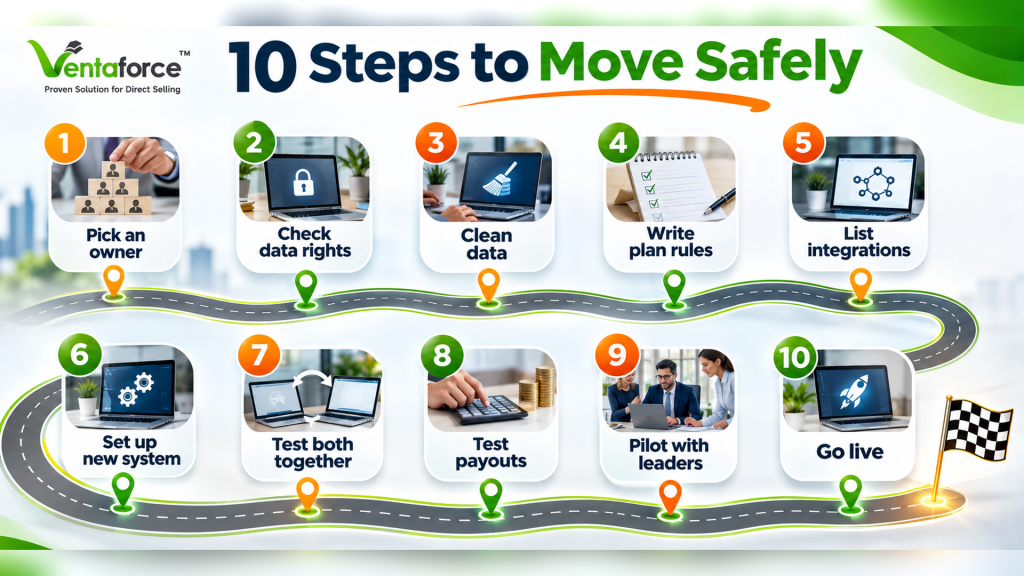
How to migrate MLM software: step by step
The safest approach is to audit your data, document your plan, build and test the new system, run commissions in parallel, pilot with top leaders, and cut over after a closed commission period.
1. Name an executive sponsor and a project owner. One person is accountable.
2. Confirm your data export rights. Check your current contract for data ownership, formats and timelines, and ask early. Slow exports are a common cause of delay.
3. Audit and clean your data.
4. Document your compensation plan, including exceptions.
5. Inventory every integration and replicated site.
6. Configure the new platform and run trial migrations.
7. Run a parallel commission cycle and explain every variance.
8. Test payouts, wallets and integrations in staging.
9. Pilot with top leaders and fix what they find.
10. Cut over after a closed commission period, and keep the old system read-only for a defined period.
Are you ready? A go / no-go checklist
Give yourself one point for each “yes”:
1. We have a named executive sponsor and project owner.
2. Budget is approved, including contingency.
3. Data export rights and formats are confirmed with our current vendor.
4. Our compensation plan is fully documented, exceptions included.
5. We have completed an integration inventory.
6. A parallel commission run is a condition for going live.
7. Finance is assigned to approve reconciliation.
8. We have a communication and training plan for distributors.
9. We have a documented rollback plan.
10. Our cutover date fits the payout cycle and avoids major events.
8 to 10: You are in good shape. 5 to 7: Close the gaps before committing to a date. 0 to 4: Do a formal migration assessment first.

10 questions to ask any MLM software vendor
A good demo does not prove a vendor can migrate you. These questions get closer to the truth:
1. How many migrations have you completed, and can you show a comparable one?
2. What does your data audit include, and who does it?
3. Do you run a parallel commission cycle as standard?
4. How do you validate genealogy for our type of plan?
5. How do you handle payout timing and wallet reconciliation?
6. How do you keep replicated sites and referral links working?
7. Which integrations do you support, and how do you test them?
8. What training and support follow go-live, and for how long?
9. Who owns our data, and can we export it whenever we want?
10. How do you protect member data (security, access control, audit trails)?
Pay attention to how they answer, not only what they say. A vendor with real experience describes a process and gives examples. A vendor who only reassures you is a warning sign. Be especially careful with anyone who promises a full migration in days, or guarantees a perfect outcome, without parallel testing.
What affects MLM migration cost and timeline?
There is no fixed price or schedule, but six factors move both:
- Data volume and quality: more cleanup means more time
- Plan complexity: binary, hybrid and multi-currency plans need more testing
- Number of integrations: each one must be built and tested
- Customization: custom features add configuration work
- Number of markets: multi-country compliance adds effort
- Old vendor cooperation: slow data exports can hold everything up
Most migrations take from a few weeks to a few months
A 90-day migration plan
Days 1 to 30: assess and align. Appoint your sponsor, audit the data, document the plan, list integrations, confirm export rights and agree what success looks like.
Days 31 to 60: build and test. Configure the plan, run trial migrations, complete the parallel commission run, and test integrations and payouts in staging.
Days 61 to 90: launch and stabilize. Pilot with top leaders, fix what comes up, then cut over after a closed commission period. Monitor daily and keep the old system read-only for 60 to 90 days.
Treat this as a starting point, not a guarantee. Your own timeline depends on the six factors above.
5 questions your board should ask before approving a migration
- What is the maximum payout variance we will accept at go-live? (My answer: no unexplained variances.)
- Who signs off on reconciliation, and when?
- What is the rollback plan if something fails?
- How will we communicate with the field, and who speaks personally to the top 20 leaders?
- If we leave this vendor later, what happens to our data and access?
Final thoughts
Migrating your MLM software is not something to rush, and it is not something to avoid forever. It is a decision about risk, income continuity and growth. Handled carelessly, it costs you distributor trust. Handled with discipline, you end up with faster commission runs, more flexible plans and a platform that can grow with you.
If you are weighing a move, the most useful first step is a review of your data, compensation plan and integrations, so you know your real risk, timeline and cost before committing.
Ready to explore a solution for your business?
Frequently Asked Questions (FAQ)
MLM software migration is moving your members, genealogy, orders, commissions, wallets, rank history and integrations from your current MLM platform to a new one, while keeping payouts accurate. It carries over both the data and the commission logic, not just the database.
Most MLM migrations take a few weeks to a few months. The timeline depends on data quality, compensation plan complexity, the number of integrations and the number of markets. [ADD: Ventaforce’s typical range, e.g. “small networks with a standard plan: X to Y weeks; large multi-country networks: X to Y months.”]
There is no flat price. Cost depends on data volume, plan complexity, integrations, customization and markets. Ask any vendor for a scoped estimate after they review your data and compensation plan. Be cautious of a firm quote given before that review.
Audit and clean your data first, take a snapshot at a fixed cut-off, reconcile member counts, balances and ranks against it, and have your own team sign off. Back up the old system and test the restore. Keep the old system read-only for a period after launch.
Typically: member profiles, sponsor and placement genealogy, commission and payout history, wallet balances, ranks and PV/BV, orders, KYC and bank data, integrations, and replicated site and referral links. Older reports may be archived for reference instead of migrated.
Yes. The plan is rebuilt in the new system and verified with a parallel commission run. Document unwritten rules and exceptions first, because custom caps, carry-forward conditions and rank exceptions are the rules most often missed.
A parallel commission run calculates the same period’s commissions in both the old and new systems. Every difference is investigated and explained before go-live. It is the most reliable way to confirm the new platform pays correctly.
Not when the migration is done properly. Genealogy, ranks and balances are reconciled against a signed-off snapshot before launch. The main risk is a wrong sponsor or placement link, which is why genealogy validation should be treated as a business check, not just a technical one.
Right after a closed commission period, so no payout is split across two systems. Avoid major promotions, conventions and product launches, when distributor activity and support demand are highest.
The five most common are corrupted genealogy data, commission logic that does not match your plan, payout and wallet errors, broken integrations and replicated links, and weak distributor adoption. Each can be controlled with an audit, a parallel run, careful timing, staging tests and clear communication.
If three or more of these apply, run a formal assessment: slow or failing commission runs, plan changes that take weeks, rising customization costs, a dated distributor experience, fragile integrations, no support for new markets, poor data control, or an unresponsive vendor.
An upgrade moves your current platform to a newer version. A migration moves your data and rules to a different platform. A takeover is when a new vendor assumes a live system built by someone else. Migration and takeover carry more risk than a standard upgrade.
Check the data ownership and export terms in your contract with legal counsel, and make the request early, because slow exports are a common cause of delay. Ask for the formats you need, such as database exports and genealogy files.
It can if it is badly timed or not tested. Cutting over right after a closed commission period, reconciling wallets with your finance team, and running a parallel commission cycle protect payouts and distributor trust.
Ask how many migrations they have completed, what their data audit covers, whether they run a parallel commission cycle, how they validate genealogy, how they protect replicated sites and referral links, who owns your data, and what support follows go-live.
Yes, with structured backups, data mapping, staged validation, reconciliation and testing planned around the database size. Ask the vendor for a comparable large project and how they verified accuracy.