How to Upgrade Your Outdated MLM Software Without Losing Data?
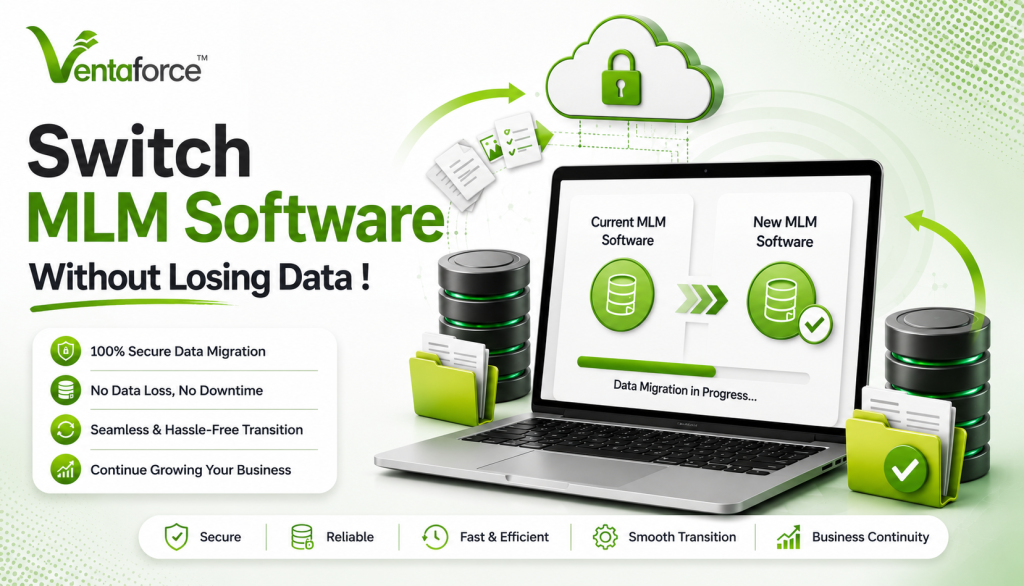
A Complete, Practical Guide for a Smooth and Secure Transition
Running a network marketing business is not simple. Behind every successful MLM company, there is a system quietly managing everything—your distributors, your commissions, your products, your reports, and your growth.
That system is your software.
For many businesses, the software they started with works well in the beginning. It handles basic operations, tracks sales, and manages the network. But as the business grows, things start to change.
The same system that once supported growth starts slowing it down.
You may begin to notice small issues—reports taking longer, calculations needing manual checks, or your team constantly depending on support. Over time, these small issues become bigger problems.
That’s when the idea comes up:
“We need to upgrade our system.”
Your software can either help you grow… or quietly slow you down.
Over the last 24+ years, working closely with network marketing companies, one pattern has remained constant.
Most businesses don’t fail because of lack of effort.
They struggle because their systems stop supporting them.
At Ventaforce, we’ve worked with thousands of MLM businesses and successfully handled 300+ MLM software migrations. And almost every client came to us with the same concern:
“We want to upgrade… but we’re afraid of losing our data.”
That fear is real. But what’s more important is this:
 Delaying the decision often costs more than the migration itself.
Let’s talk about it honestly.
Why Businesses Eventually Need to Migrate MLM Software ?
Most companies don’t wake up one day and decide to change their software. It usually happens slowly.
At first, the system works fine. Then, as the business grows, new challenges appear.
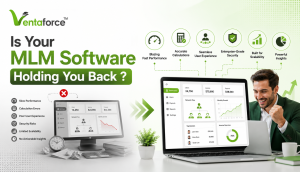
Signs your MLM software is outdated :
- Slower system performance / crashes during commission runs
- Lack of integration with modern tools (CRM, payment gateways)
- Delays in commission calculations
- Difficulty managing large networks
- Limited customization options
- Poor mobile experience
- Frequent errors in reports
At this stage, your system is no longer helping your business grow—it’s holding it back.
This is when a network marketing software upgrade becomes necessary.
Upgrading is not just about getting new features. It’s about making sure your business can continue to grow without limitations.
- Did you know
Many MLM companies lose 10–25% operational efficiency simply because their software cannot handle scale properly.
That’s not always visible—but it shows up in :
- Slower growth
- Lower distributor engagement
- Missed opportunities
The Biggest Concern : Data Loss
Let’s talk honestly.
When we talk to MLM business owners, this is always the first concern.
And honestly, it should be
Your MLM system is not just storing information. It is managing a complex structure where everything is connected.
Think about it :
- Each distributor is connected to others in a network
- Commissions depend on that network
- Wallet balances depend on past transactions
- Ranks depend on performance and structure
In MLM, your data is highly interconnected. A small error in the genealogy tree or commission logic can lead to massive financial discrepancies.
That’s why a structured MLM data migration approach is essential.
But here’s what our experience says :
👉 Data loss doesn’t happen because of migration.
👉 It happens because of poor planning.
The goal is not just to move data—but to preserve it exactly as it is.
With the right process, zero data loss migration is absolutely achievable.
What “Zero Data Loss Migration” Really Means?
This term is often used, but not always understood properly.
Zero data loss does not just mean “copying data.”
It means :
- Every distributor remains in the correct position
- Every wallet balance is accurate
- Every commission record is preserved
- Every report gives correct results
- Every relationship between data points remains intact
In simple terms, after migration, your business should continue exactly where it left off—without confusion or errors.
What Ventaforce Learned From 300+ MLM Software Migrations ?
Over the years, we’ve seen every type of situation.
Some businesses came early—when they first noticed problems.
Others waited too long.
And the difference between those two decisions was huge.
A Real Scenario We See Often
Let me share something we’ve seen more than once.
A company approached us, already aware that their system had limitations.
They were facing :
- Delayed commission processing
- Difficulty handling growing network size
- Frequent support issues
They were considering MLM software migration, but kept postponing it.
Why?
Because everything was “still working.”
Six months later, they came back.
But this time, the situation had changed.
- Distributor complaints had increased
- Commission errors created trust issues
- Growth had slowed down
- Internal team was overwhelmed
At that point, migration was no longer an option—it became urgent.
And their biggest regret?
👉 “We should have done this earlier.”
We don’t just talk about migration—we’ve done it multiple times. Review detailed case studies showing our process, tools, and results.
The Real Cost of Delaying a Network Marketing Software Upgrade
Let’s be very clear.
The cost of migration is visible.
But the cost of NOT migrating is hidden—and often much higher.
You may not see it directly, but it shows up as :
- Loss of distributor trust
- Reduced engagement
- Operational inefficiencies
- Missed business opportunities
- Did you know
In fast-growing MLM networks, even a small delay in commission processing can reduce distributor activity significantly.
People stay active when systems are fast, transparent, and reliable.
Understanding the Data You Must Protect
Before starting the migration process, it’s important to know what exactly needs to be protected.
1. Distributor Network (Genealogy)
This is the heart of your MLM business.
Your entire structure—who is under whom, how the tree is built—must remain exactly the same.
Even a small mistake here can affect thousands of users.
2. Financial Data Accuracy
This is the most sensitive part.
It includes :
- Wallet balances
- Commission history
- Bonus payouts
- Transaction records
Even a small mismatch can create trust issues and financial disputes.
3. Rank and Performance Data
Distributor ranks, achievements, and qualifications must be preserved correctly.
This data is often linked to commissions and rewards.
4. Orders and Sales Data
Your entire sales history, invoices, and product transactions.
This is important for both business operations and compliance.
5. User and Compliance Data
This includes :
- Personal details
- Login credentials
- KYC documents
A secure MLM software must ensure this data is protected during migration.
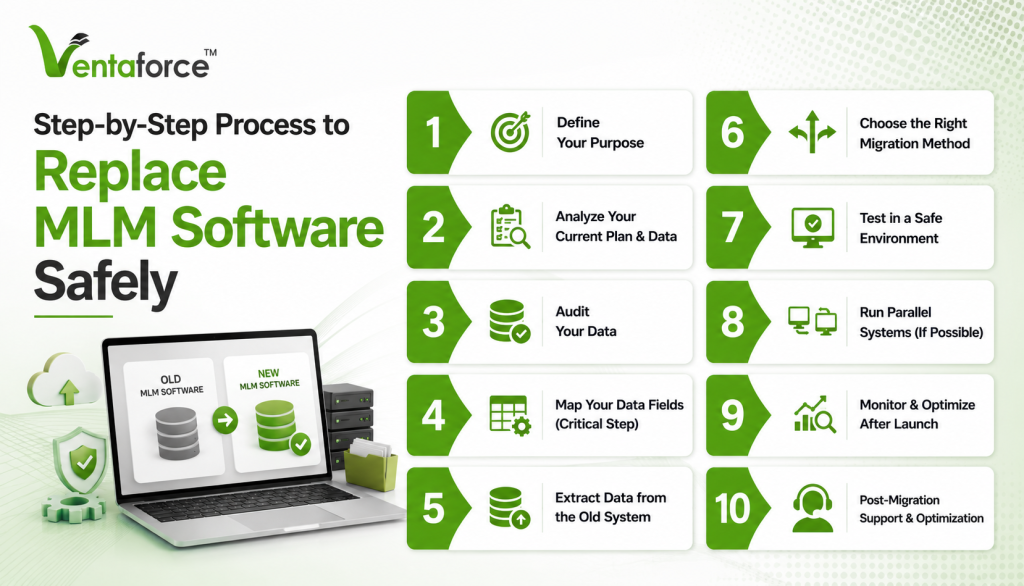
Step-by-Step Process to Replace MLM Software Safely
Let’s go through a clear, practical process you can follow.
Step 1 : Define Your Purpose
Start with clarity.
Ask yourself :
- Why do I want to upgrade ?
- What problems am I facing ?
- What do I expect from the new system ?
This ensures your network marketing software upgrade is meaningful.
Step 2 : Analyze Your Current Plan & Data
Before migration, fully understand your existing system :
- Compensation plan structure
- Active features
- Data complexity
- Third-party integrations
This avoids unexpected conflicts later.
Step 3 : Audit Your Data
Before migration, fully understand your existing system :
- Remove duplicate entries
- Fix incorrect or incomplete data
- Standardize formats
Clean data ensures better accuracy and performance post-migration.
Step 4 : Map Your Data Fields (Critical Step)
This is where most migrations succeed or fail.
You need to carefully align :
- Old system fields → new system fields
- User IDs and genealogy structure
- Wallet balances and transaction history
Proper data mapping ensures accurate transfer and alignment in the new system
Step 5 : Extract Data from the Old System
Once mapping is done, data is extracted in a usable format :
- CSV / Excel / database exports
- Structured files for processing
This step prepares your data for smooth migration into the new platform.
Step 6 : Choose the Right Migration Method
Depending on your business size :
- Full migration (all at once)
- Phased migration (gradual)
- Hybrid approach
Choose based on complexity and risk tolerance.
Step 7 : Test in a Safe Environment
Never migrate directly to live systems.
- Run trial migrations
- Validate reports and commissions
- Check system behavior
This ensures your MLM software migration is risk-free.
Step 8 : Run Parallel Systems (If Possible)
Operate both systems together temporarily :
- Compare outputs
- Verify calculations
- Build operational confidence
Step 9 : Monitor & Optimize After Launch
Migration doesn’t end at launch :
- Verify commissions and reports
- Monitor system performance
- Fix inconsistencies quickly
Ongoing monitoring ensures long-term stability.
Step 10 : Post-Migration Support & Optimization
A professional migration always includes support :
- Resolve data discrepancies
- Fine-tune configurations
- Assist your team
Post-migration support ensures a smooth transition and maximizes system performance.
How to Ensure Zero Data Loss Migration ?
If your goal is a smooth and safe migration, follow these practical steps :
Keep Multiple Backups
Always maintain backups in different locations.
Validate Data After Transfer
Check if all data matches correctly.
Test More Than Once
Don’t rely on a single test.
Focus on Financial Accuracy
Double-check wallet balances and commissions.
Avoid Rushing
Take time to do it right.
Work with Experts
Experienced teams know how to handle complex migrations.
Common Mistakes to Avoid
Many businesses face issues because of simple mistakes.
Skipping Testing
This leads to unexpected problems after launch.
Choosing Low-Cost Providers
Cheap services often lack expertise.
Ignoring Data Relationships
Data is connected—don’t treat it as separate pieces.
Poor Communication
Your team and distributors should be informed.
Rushing the Process
Migration needs planning and patience.
The Human Side of Migration
Technology is only part of the process.
Your distributors and team also need to adapt.
If not handled properly, even a perfect migration can feel confusing to users.
What You Should Do
- Inform users in advance
- Provide simple training
- Offer support during transition
A smooth experience builds trust.
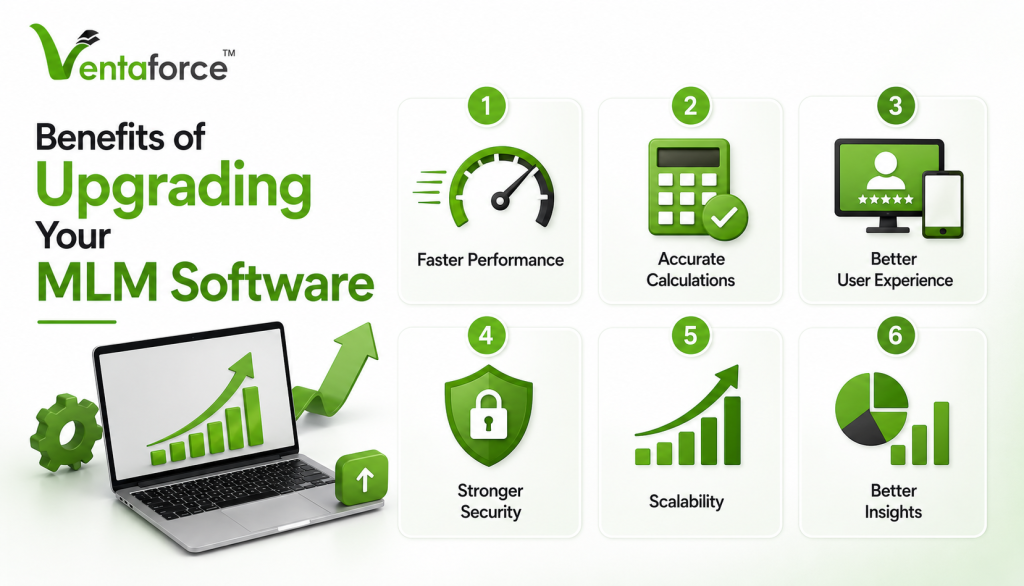
Benefits of Upgrading Your MLM Software
After a successful network marketing software upgrade, you will notice real improvements.
Faster Performance
No more delays or system crashes.
Accurate Calculations
Automated commissions reduce errors.
Better User Experience
Modern design improves usability.
Stronger Security
A secure MLM software protects sensitive data.
Scalability
Your system can handle future growth.
Better Insights
Real-time reports help in decision-making.
Choosing the Right Software Partner
Your migration partner plays a huge role.
Look for :
- Proven experience in MLM software migration
- Strong technical expertise
- Focus on data security
- Post-migration support
This is not just about software—it’s about trust.
Future-Proofing Your Business
Technology keeps changing.
Your system should be ready for :
- Automation
- Mobile usage
- Global expansion
- Integration with other tools
A good system prepares you for the future.
Migrate with a Team That Has Done It Before
MLM software migration is not something you experiment with. It requires experience, planning, and precision. With 300+ successful migrations, Ventaforce knows exactly how to handle complex data, protect your business, and deliver a smooth transition. 👉 Work with experts who understand your business—not just your software. 👉 Book your free MLM consultation
Final Thoughts
Replacing your MLM software may feel like a big step—but it’s often necessary.
The real risk is not upgrading.
The real risk is staying with a system that limits your growth.
With the right approach, you can :
- Replace MLM software safely
- Complete smooth MLM data migration
- Achieve zero data loss migration
- Move to a secure MLM software
- Successfully complete your network marketing software upgrade
And most importantly, you can move forward with confidence.
Frequently Asked Questions (FAQ)
Yes, you can. A properly planned MLM software migration ensures that all your data—network structure, commissions, wallet balances, and transactions—are transferred safely.
In real projects, data loss usually happens due to :
- Poor data mapping
- No testing
- Inexperienced vendors
With the right process, zero data loss migration is completely achievable.
MLM data migration is the process of transferring your entire business data from your old system to a new one without interrupting your current operations
It is important because your data includes :
- Distributor genealogy
- Financial records
- Business history
Without proper migration, your business operations can break or become inaccurate.
Replacing software is not risky if done correctly.
The real risk is:
👉 Staying on outdated software too long
Old systems can cause:
- Commission errors
- System crashes
- Slow performance
A planned network marketing software upgrade is much safer than continuing with a failing system.
It depends on your business size and complexity.
- Small systems: 1–3 weeks
- Medium systems: 3–6 weeks
- Large systems: 1–3 months
The focus should not be speed—it should be accuracy and safety.
No, not necessarily.
With proper planning:
- Migration can be done in stages
- Parallel systems can be used
This ensures minimal or zero downtime during MLM software migration.
Zero data loss migration means:
- No missing records
- No broken relationships (genealogy)
- No incorrect financial data
After migration, your new system should reflect your old system exactly—but perform better.
The most critical data includes:
- Distributor network structure
- Wallet balances
- Commission history
- Rank and bonus data
These must be handled with extra care during MLM data migration.
You should consider upgrading if you face:
- Slow system performance
- Errors in commissions
- Difficulty scaling your business
- Poor user experience
These are clear signs that it’s time to replace MLM software.
Yes, and you should.
Modern platforms offer:
- Better encryption
- Stronger data protection
- Improved access control
Moving to a secure MLM software helps protect your business and user data.
This is one of the most important questions.
Delaying migration can lead to:
- Loss of distributor trust
- Operational inefficiencies
- Slower business growth
- Increased technical issues
In many cases, businesses lose more by delaying than by upgrading.
It depends on your requirements.
But here’s the reality:
👉 The cost of NOT upgrading is often higher
Hidden costs include:
- Lost revenue
- Manual errors
- System downtime
A proper network marketing software upgrade is an investment, not an expense.
No.
A good service provider will handle:
- Data transfer
- Testing
- System setup
Your role is to provide business inputs and verify results.
Look for:
- Proven experience
- Real migration cases
- Strong support team
- Focus on data security
This ensures your MLM software migration is handled professionally.
If migration is done properly, they won’t.
To ensure a smooth experience:
- Inform them in advance
- Provide training
- Offer support
User experience is an important part of a successful migration.
Yes.
A good system will:
- Support your existing plan
- Improve its performance
You don’t have to change your business model to upgrade your system.
Common mistakes include:
- Skipping testing
- Poor data mapping
- Choosing inexperienced providers
- Rushing the process
Avoiding these ensures a successful MLM data migration.
After a successful network marketing software upgrade, you’ll notice:
- Faster system performance
- Accurate commission calculations
- Better reports
- Improved user experience
Stronger security
Start with:
- System analysis
- Data review
- Goal clarity
This sets the foundation for a successful MLM software migration.